Paste any Telegram link below and get download options in MP4, HD — no app, no sign-up. UltraGrabber auto-detects the platform and fetches the media instantly.
Auto-detects the platform
Try:
100% free, no sign-upNo data storedFast HD downloadsWorks on any device
Never downloaded a video before? Follow these six steps. It takes less than a minute and works the same on phones, tablets and computers.
1
Find the video
Open Telegram and go to the video, reel, story or post you want to save. Make sure the account is public.
2
Copy the link
Tap Share and choose Copy link. On a computer you can also copy the address from the browser bar.
3
Paste it into UltraGrabber
Come back to this page and tap Paste, or press Ctrl+V (Cmd+V on Mac) in the box at the top.
4
Press Download
UltraGrabber recognises the platform automatically and lists every available format in a few seconds.
5
Choose the quality
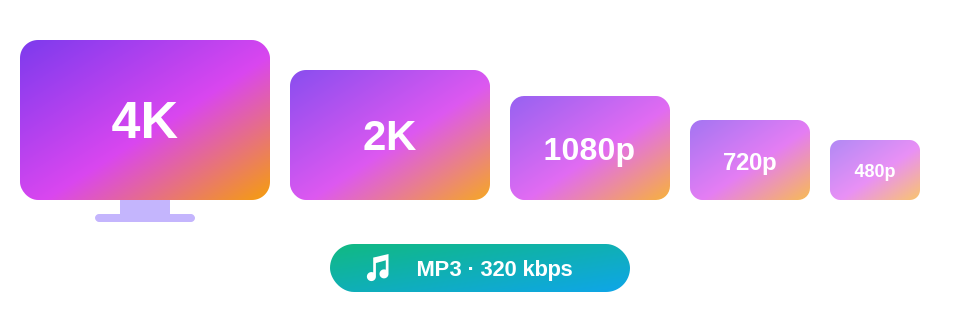
Pick 1080p, 2K or 4K for the sharpest picture, 720p to save space, or MP3 if you only need the sound.
6
Save the file
The download starts right away. On iPhone open Files › Downloads; on Android and computers check your Downloads folder.
Why UltraGrabber
Why use UltraGrabber for Telegram?
Lightning fast
Telegram downloads start instantly — no waiting, no queue.
Safe & private
No login, no tracking, no data stored. Links are processed and discarded.
Works everywhere
Phone, tablet, desktop — any browser. No app to install.
Unlimited & free
Download as many Telegram videos as you want. No daily caps.
About the Telegram downloader
Download videos and photos from public Telegram channels without installing the app. Paste the t.me link of the message you want to save.
Private chats, private groups and channels you have to join first can’t be accessed.
Tips for the best results
Copy the message link (t.me/channel/123) from the post’s ⋯ menu.
Only public channels work; private chats and join-first channels can’t be accessed.
No Telegram account or app install is needed.
Telegram at a glance
Content types
Channel videos and photos
Formats
MP4 video, JPG photos
No app
Download straight in the browser
Account needed
No — public channels only
Supported Telegram links
UltraGrabber accepts all of these link formats:
t.me/CHANNEL/MESSAGE_ID
t.me/s/CHANNEL/MESSAGE_ID
Is UltraGrabber safe?
Yes. There is nothing to install, no account to create and no browser extension to trust. Links are processed only when you ask, and files go straight to your device. We never store your videos or the links you paste. Ads are clearly labelled and never disguised as download buttons.
High quality downloads
Download in the highest quality available
UltraGrabber always fetches the original file from the platform and never re-compresses it. For YouTube, our servers combine the separate HD video and audio streams, so you get 1080p, 2K and even 4K MP4 files with sound.
4K · 2160pUltra HD
Four times the detail of 1080p. Best for big TVs, monitors and video editing. Files are large.
2K · 1440pQuad HD
Extra sharp on large monitors and tablets, with smaller files than 4K.
1080pFull HD
The best choice for most people. Sharp on any phone or laptop and plays everywhere.
720pHD
Good quality with smaller files. Ideal for phones and sharing in chats.
480p · 360pSD
Small files for slow connections or devices with little storage.
MP3 320kbpsHigh-quality audio
The highest MP3 bitrate. Perfect for music, podcasts and lectures.
Available qualities depend on the original upload. A video filmed in 720p can’t be downloaded in 4K.
1080p, 2K and 4K files are prepared on our server, so they can take a few seconds longer to start.
FAQ
Telegram Downloader FAQ
Open the message, copy its t.me link (t.me/channel/123), paste it above and download the video or photo — no Telegram app needed.
No. Only public channels are accessible. Private chats, private groups and channels you must join first can’t be downloaded.
No. UltraGrabber runs entirely in your browser on iPhone, Android, Windows, Mac and Linux.
On a computer, in your Downloads folder. On iPhone, in Files › Downloads. On Android, in the Downloads folder or your gallery.
Downloading your own content, public-domain material or content whose creator allows it is generally fine. Downloading copyrighted material without permission may break the law and the platform's terms.
No. Files stream straight to your browser. We don't keep copies or a history of the links you paste.
Popular tools
More free downloaders
Pick the exact tool for what you want to save: videos, reels, stories, photos, audio or profile pictures.